Write the novel.
Let your AI keep the rest straight.
MechaSquid is a quiet place to write, and a living story bible your own AI can read. It files what you wrote, remembers every character, holds your outline and catches the slips. The prose is yours and stays that way.
- Free during early access
- Works with Claude and ChatGPT
- Export everything, any time

If you have tried writing with AI, you know these.
Your notes are everywhere
A notebook, a spreadsheet, three documents and a folder of screenshots. By chapter twenty you cannot find what you decided about the harbour watch.
It forgets your book
Every chat starts from nothing. You paste chapters, explain who Mira is again, and it still puts her in two places at once.
Ideas slip away
The best ones arrive on a walk, far from your desk. By the time you are home, half of it is gone.
You write the book. That should never change. Everything else can be someone else's job.
Three steps, and the first one is just writing.
- 01
Write
Open your book and write. The whole manuscript is one quiet page. No forms, no fields, nothing to file.
- 02
Connect your AI
Add MechaSquid to Claude or ChatGPT once. It works on your computer and on your phone, with the subscription you already pay for.
- 03
Plan
Ask it to lay out the next three chapters, check the timeline, or find what you decided about the ferry. It works on your notes and your outline, never on your prose.
Start small: paste one scene you already have. MechaSquid will show you what it finds in it.
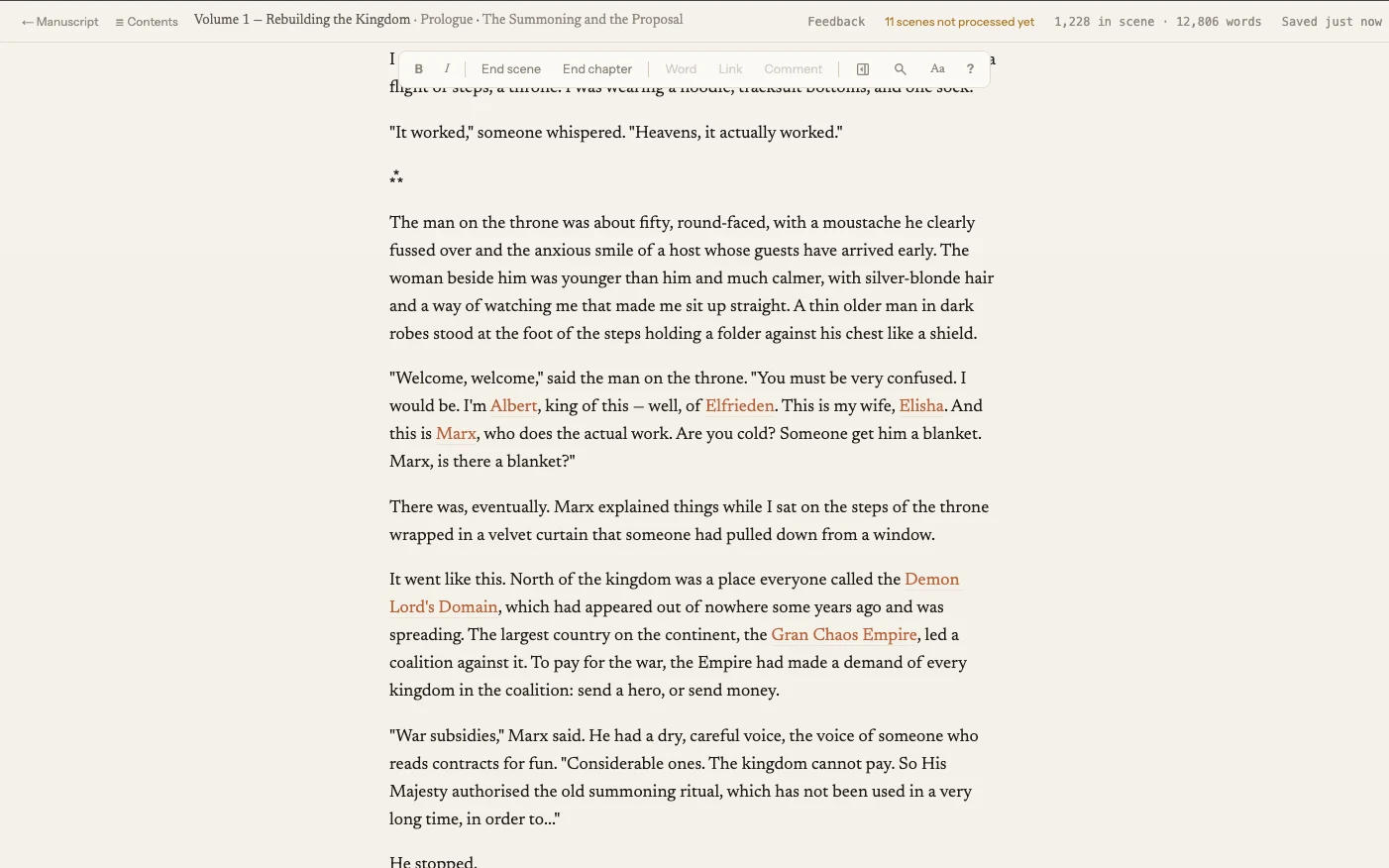
Sit down, get into flow, and just write.
Your whole book is one continuous page. Scroll up to reread, fix a line in chapter two, scroll back down and carry on. Type *** for a new scene. That is the entire interface.
It saves as you go and keeps a copy on your machine, so a dropped connection never costs you a paragraph.
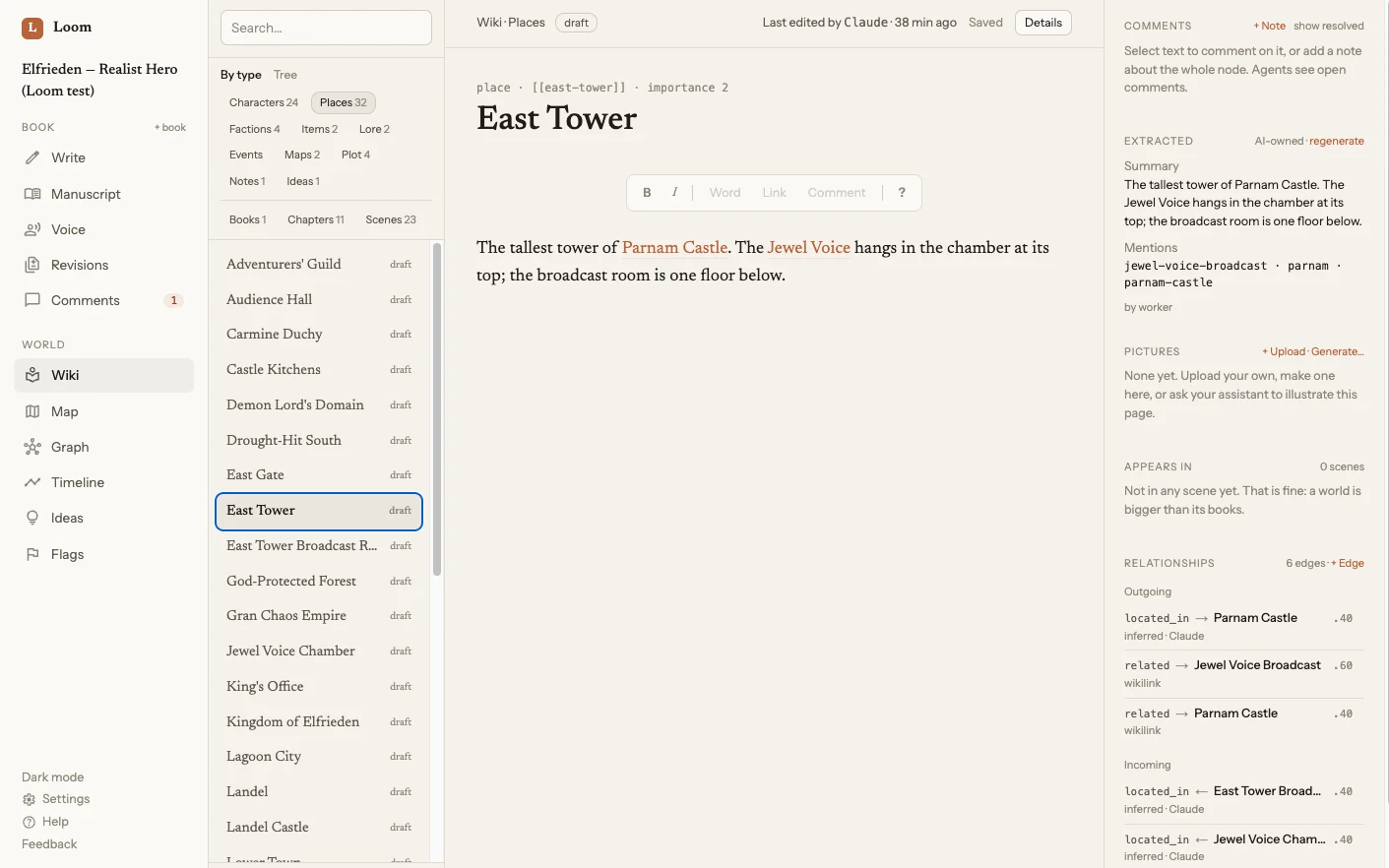
A living wiki of your world, built from what you wrote.
Characters, places, factions, objects and events, each with its own page, all linked to the scenes they appear in. New names are found and filed for you, described only from your text. Nothing is invented.
So the question is never "what colour were her eyes?" It is already there, and your AI reads it before it says a word.
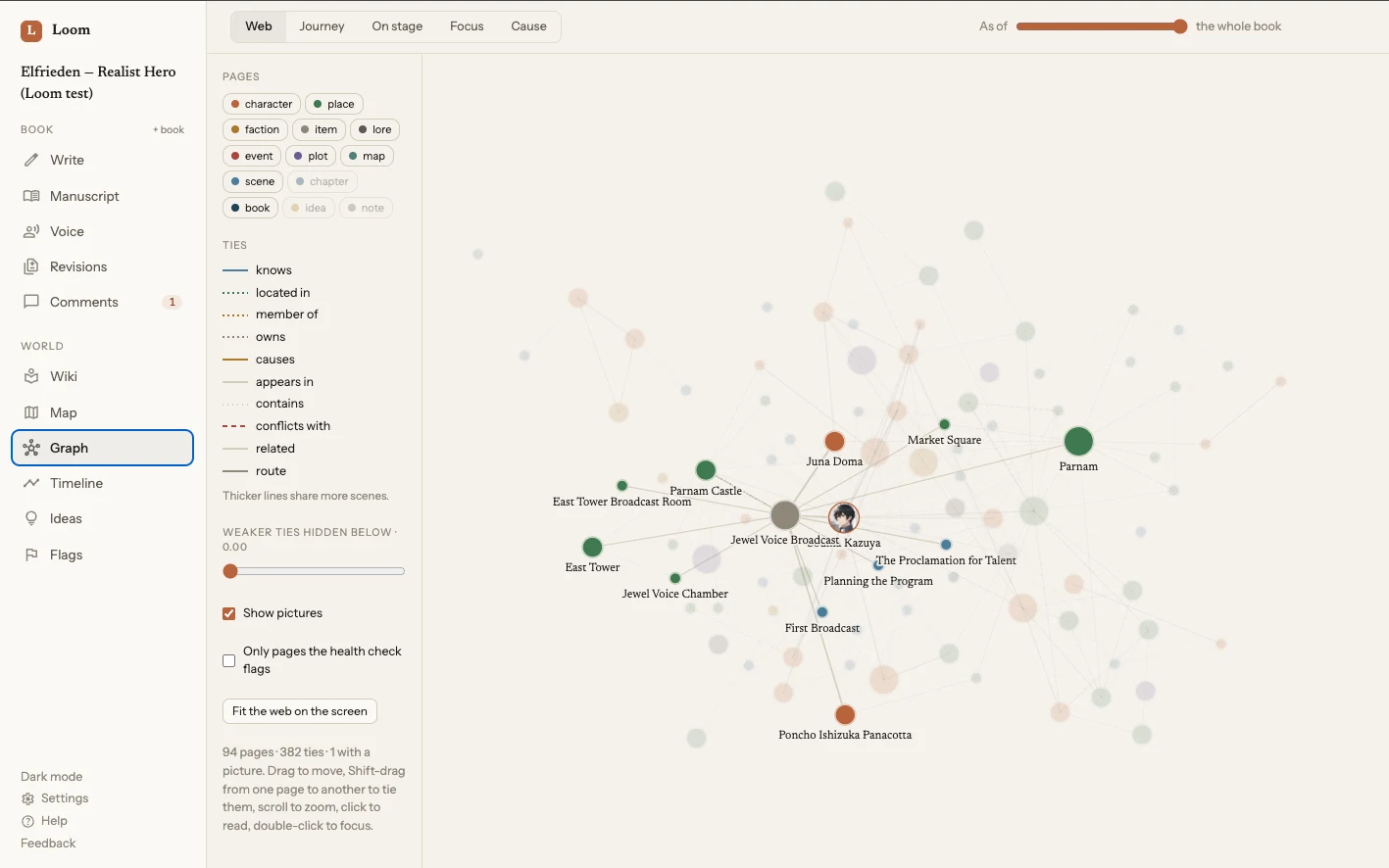
Every character, place and thread, and how they hold together.
Your book as it actually is: who knows whom, what happens where, which threads run through which scenes. Point at a page and everything tied to it stays lit while the rest fades, so a crowded book can still be read.
Follow one character from first page to last, lay out what causes what, or look at the world as it stood at one moment of the story.
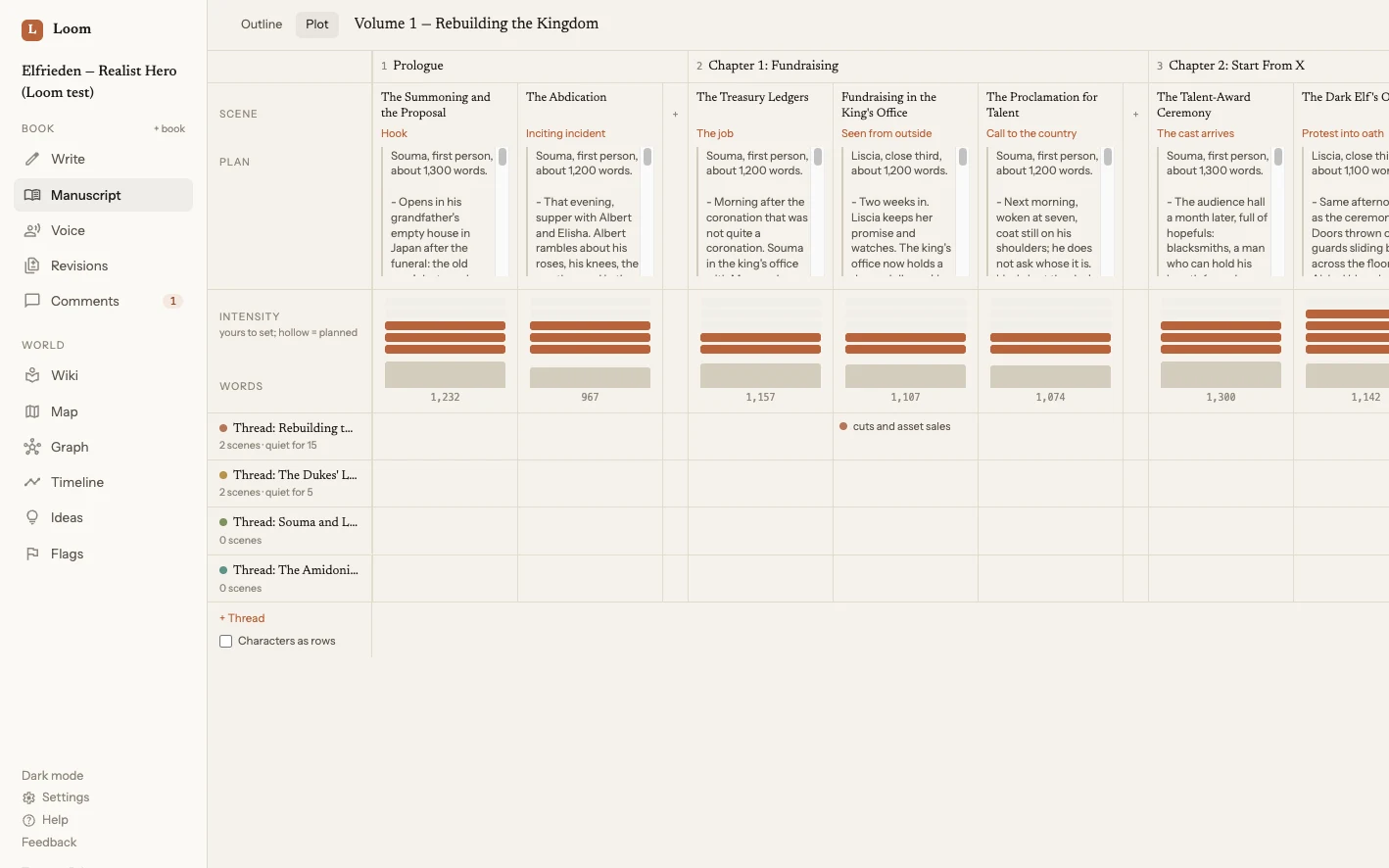
Plan the book here. Then go and write it.
Lay the book out and look at its shape: every scene in reading order, what you meant it to do, how long it runs and how much it asks of the reader. Plan scenes long before they exist, each with a line about what should happen in it.
No structure is built in. A thriller and a quiet novel want different shapes, so MechaSquid shows you yours and leaves the shaping to you.

Catch the idea on the walk. Find it filed when you get home.
MechaSquid works inside the Claude and ChatGPT apps on your phone. Talk through a plot problem, save a line of dialogue, ask what you decided about the harbour watch. It all lands in the right book.
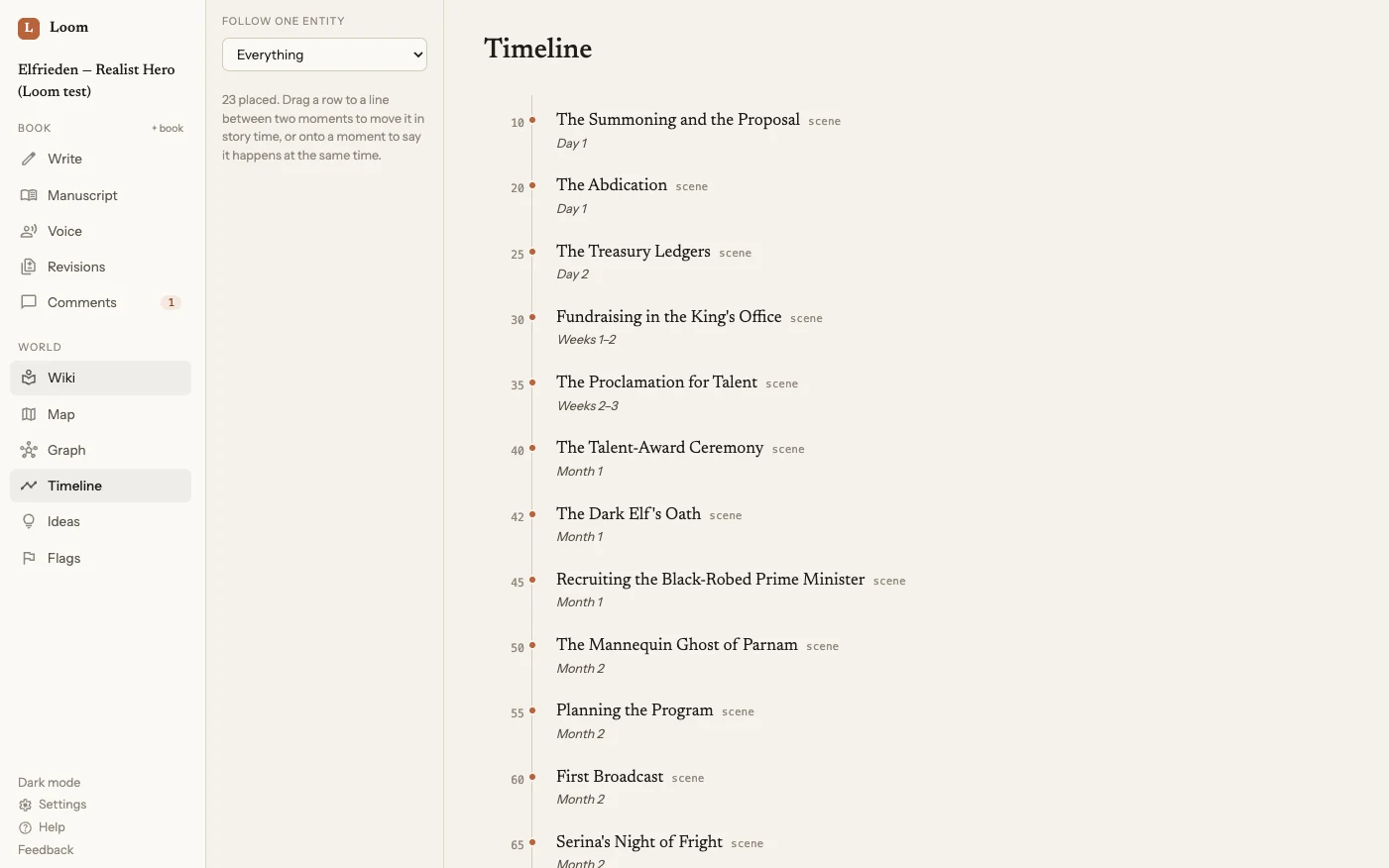
It notices when someone is in two places at once.
A timeline in story order, a map of who knows whom, and health checks that flag contradictions, dangling names and scenes nobody has filed yet. The checks are plain rules, not guesses, so they say the same thing every time.
Promises the software keeps, not just the website.
This is how MechaSquid was built from the first day. Most of these are enforced in code and covered by automated tests.
Only you change your words
An agent proposes a revision and waits. Nothing in your prose moves until you accept it.
Links never alter your text
When a name is linked to its character, code checks that every visible word is the same before and after. If not, the link is refused.
You can always leave
Export the whole manuscript as Markdown or EPUB whenever you like. It is your book.
You see every connection
Each app you connect is listed on your dashboard. One click disconnects it, at once and for good.
Your book is private
It is stored in the EU. No one else can browse your chapters, and there is no public link to them.
We do not train on your book
MechaSquid trains no models. It is a place for your story, not a source of data.
Your assistant, your subscription, your choice.
MechaSquid speaks MCP, the open standard for connecting assistants to tools. Use the AI you already trust and pay for, switch whenever a better one appears, or use none at all. Your book does not move.
What writers ask first.
Does MechaSquid write my book for me?+
No, and it is not built to. MechaSquid is where you write, and where your AI does the work around the writing: filing scenes, keeping the wiki, holding the outline, checking the timeline, answering what you decided six chapters ago. The prose is yours.
Which AI does it work with?+
Any assistant that supports the open MCP standard. Today that includes Claude and ChatGPT, on the web, the desktop and the phone. You use your own account, so you choose the model and you are never locked to ours.
What if I do not use an AI at all?+
Write mode, the wiki, the timeline and the health checks all work on their own. A built-in helper can file new text for you at the press of a button.
What can I actually ask it to do?+
Plan the next three chapters. Tell you where a thread goes quiet. Find the contradiction between chapter four and chapter nine. Work out how long the ride to the coast takes. Say what you decided about the harbour watch. File what you wrote last night and link the new names.
Who owns what I write?+
You do. Entirely. You can export everything at any time.
What does it cost?+
MechaSquid is free during early access. You bring your own AI subscription if you want one.
Your next chapter is waiting. So are the ideas you have not lost yet.
Start with one scene. See what MechaSquid finds in it.
Start your bookFree during early access. No card. Export everything whenever you like.